How to generate AI summaries for WordPress posts
Connect a provider, generate a bulleted AI summary on a post, and see why Article schema depends on it.
Last updated October 15, 2026
This page gets you from a fresh RankReady install to a post carrying a generated AI summary. It also covers a connection that surprises people: Article schema will not appear on a post until that post has a summary, because the schema description is built from it.
What a RankReady summary is
A summary is a short set of bullets describing the post, generated by the AI provider you connect and stored as post meta on that post. Because it is stored on the post, it travels with the post through exports, migrations and backups, and it survives a theme change.
Generation is unlimited. There are no monthly caps, no per-post counters and no reset banners. What you pay is your own usage with whichever provider you chose.
Step 1: connect an AI provider
Summaries are one of only two features in RankReady that need a key. The other is the FAQ generator. Everything else works with nothing connected.
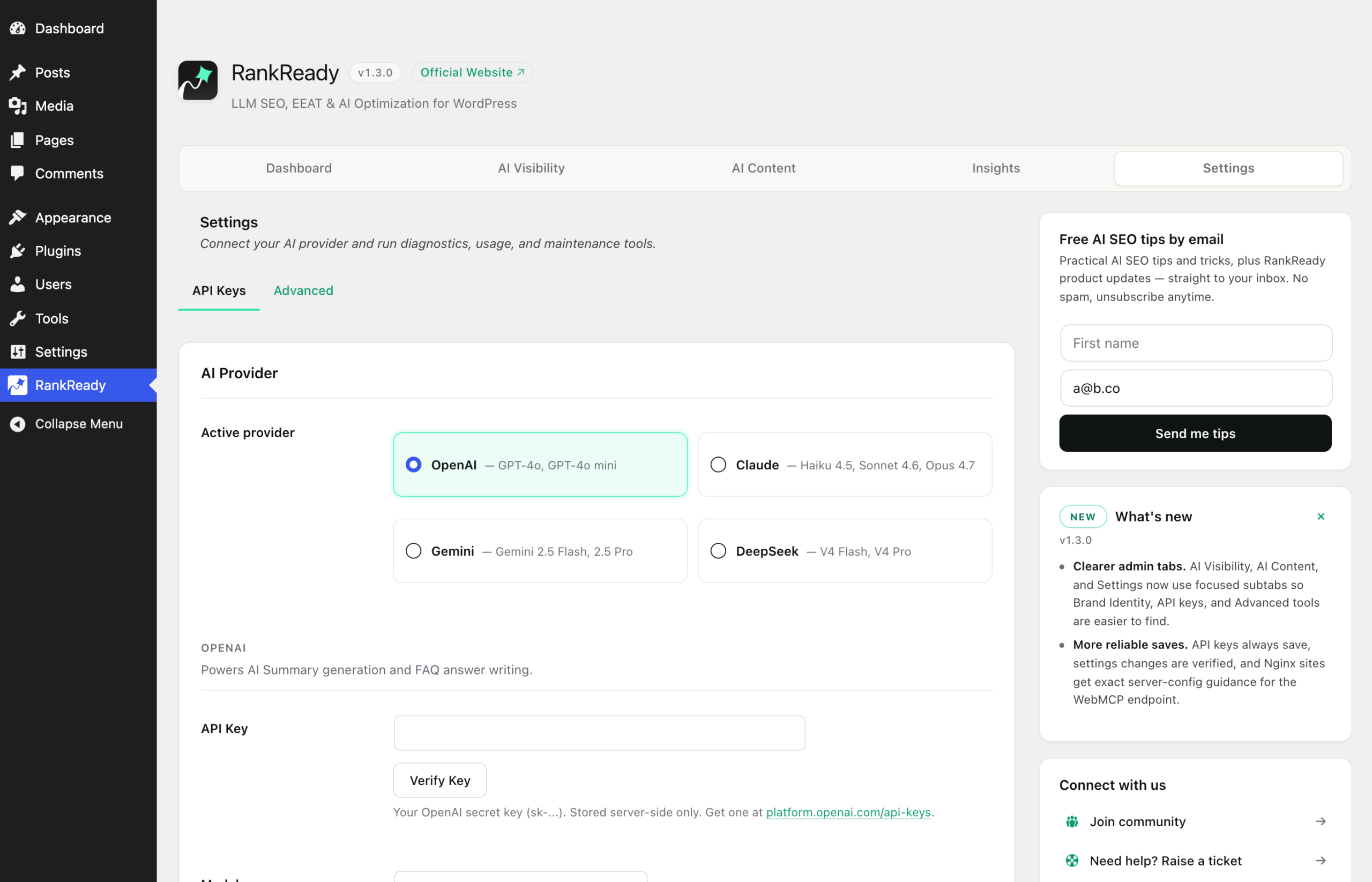
Open the RankReady menu in wp-admin and go to the Settings tab, in the API Keys section. Choose one of OpenAI, Anthropic Claude, Google Gemini or DeepSeek and paste your own key. The key is stored in your site’s wp_options table, encrypted at rest.
Step 2: open the summary screen
Go to the AI Content tab, then the Summary section. This is where summary generation and its options live.

Step 3: generate for a post
Generate a summary for the post you want. RankReady sends the article to the provider you configured and writes the returned bullets back to the post.
Generation is deliberate and per post in the free plugin. Automatic generation on publish and bulk regeneration across an archive are both in RankReady Pro, so on Free do not plan a launch around running one job over 500 posts. Start with the posts that matter: your most-read pages, your product and service pages, and anything you would want described accurately by something that only read a fragment of it.
Step 4: read what came back
Always read the generated bullets before moving on. A summary is a claim your site is publishing about a page, and it is going straight into your Article schema description.
Three things to check:
- Accuracy. Does every bullet reflect something the article actually says?
- Specificity. Bullets that would fit any article on the topic are not describing yours.
- Claims. If the model has produced a number, a date or a superlative, confirm it appears in the article. Cut it if it does not.
The Article schema connection
This is verified behaviour and the single most common source of confusion. RankReady builds the Article description from the post’s stored summary. When there is no summary, the code returns early and emits no Article JSON-LD at all.
So a post with schema switched on and no summary generated produces nothing. Nothing is broken. Generate the summary and the Article node appears.
To confirm the whole chain, paste the post’s live URL into Google’s Rich Results Test, open Detected items, expand Article and read the description. It should sound like your summary. Use the published URL, since the test fetches your page as a crawler and cannot sign in to a staging site.
When to regenerate
Summaries do not update themselves when you edit a post. Regenerating automatically on publish is a RankReady Pro feature; in the free plugin it is a manual step, and an unlimited one. Build the habit into your editing process: if you have changed what an article actually says, regenerate its summary, then purge the page cache so the updated description is served.
Troubleshooting
| Symptom | Where to look |
|---|---|
| Generation does nothing at all | No key saved, or a key saved for a provider other than the one selected. Check the Settings tab. |
| Provider returns an error | Check the key is live and has credit or quota with that provider. RankReady does not proxy your calls, so the answer is in your provider account. |
| Summary looks right in wp-admin but the page shows the old one | Page cache or CDN cache. Purge and reload. |
| Article schema still missing after generating | Confirm you generated on the same post you are testing, and that you tested the live URL. |
What summaries are for
A summary makes your page describe itself accurately in a compact form, in your schema and in the machine-readable files RankReady publishes. That is what it does. It is not a ranking feature, and generating one is not evidence that any AI product read the page, quoted it or sent you a visitor. Generate them because an accurate description of your own content is worth having, and keep your reporting to what you can actually observe.