RankReady blocks, Elementor widgets and shortcodes
Understand where RankReady output actually appears: invisible structured data, on-page elements, and separate machine-readable URLs.
Last updated October 15, 2026
People often ask where to place RankReady output in a layout. The useful answer starts one level up: most of what RankReady publishes is not a layout element at all. This page maps every kind of output it produces, so you know what to place, what is invisible by design, and what lives at its own URL.
Three kinds of output
RankReady produces output in three distinct places. Mixing them up is the source of most confusion.
| Kind | Where it appears | Visible to a reader |
|---|---|---|
| Structured data | Inside the page’s HTML as JSON-LD | No |
| On-page elements | Rendered in the post | Yes |
| Machine-readable files | At their own URLs | Only if you visit the URL |
1. Structured data, which has no visible form
RankReady emits Article, Speakable, FAQPage and Person as JSON-LD. There is nothing to position, nothing to style and nothing to drag into a layout. It is a description of the page, embedded in the page, for parsers.
Check it by pasting the post’s live URL into Google’s Rich Results Test and opening Detected items, or by viewing source and searching for application/ld+json.
Two behaviours matter here. First, Article is built from the post’s generated AI summary and is not emitted at all when the post has no summary. Second, when Yoast, Rank Math, AIOSEO or SEOPress is active, RankReady merges into that plugin’s schema graph through its documented filters rather than printing a second block. The verified result is that the Article count stays exactly 1.
2. On-page elements
The author box is the piece readers actually see. It presents authorship on the post and is backed by the Person markup described above. It needs no AI provider key.
You can let RankReady place these automatically from its own screens, or place them by hand exactly where you want them. Both are supported, and the auto-display skips a post that already carries the matching block or shortcode, so you never get two copies.
Three blocks are registered for the block editor:
rankready/ai-summary, the AI Summary blockrankready/faq, the FAQ blockrankready/author-box, the author box block
Three shortcodes render the same three through the same builders, for the Classic editor or any shortcode-capable page builder:
For Elementor there are three widgets: AI Summary, FAQ and Author Box, each tagged RankReady in the widget panel. They render the same output as the blocks and shortcodes.
The other widget is not a front-end one. It is a RankReady panel on the main wp-admin Dashboard, shown only to users who can manage options, which means administrators. There is no sidebar widget, because none of this output belongs in a sidebar.
Editor-only placeholders
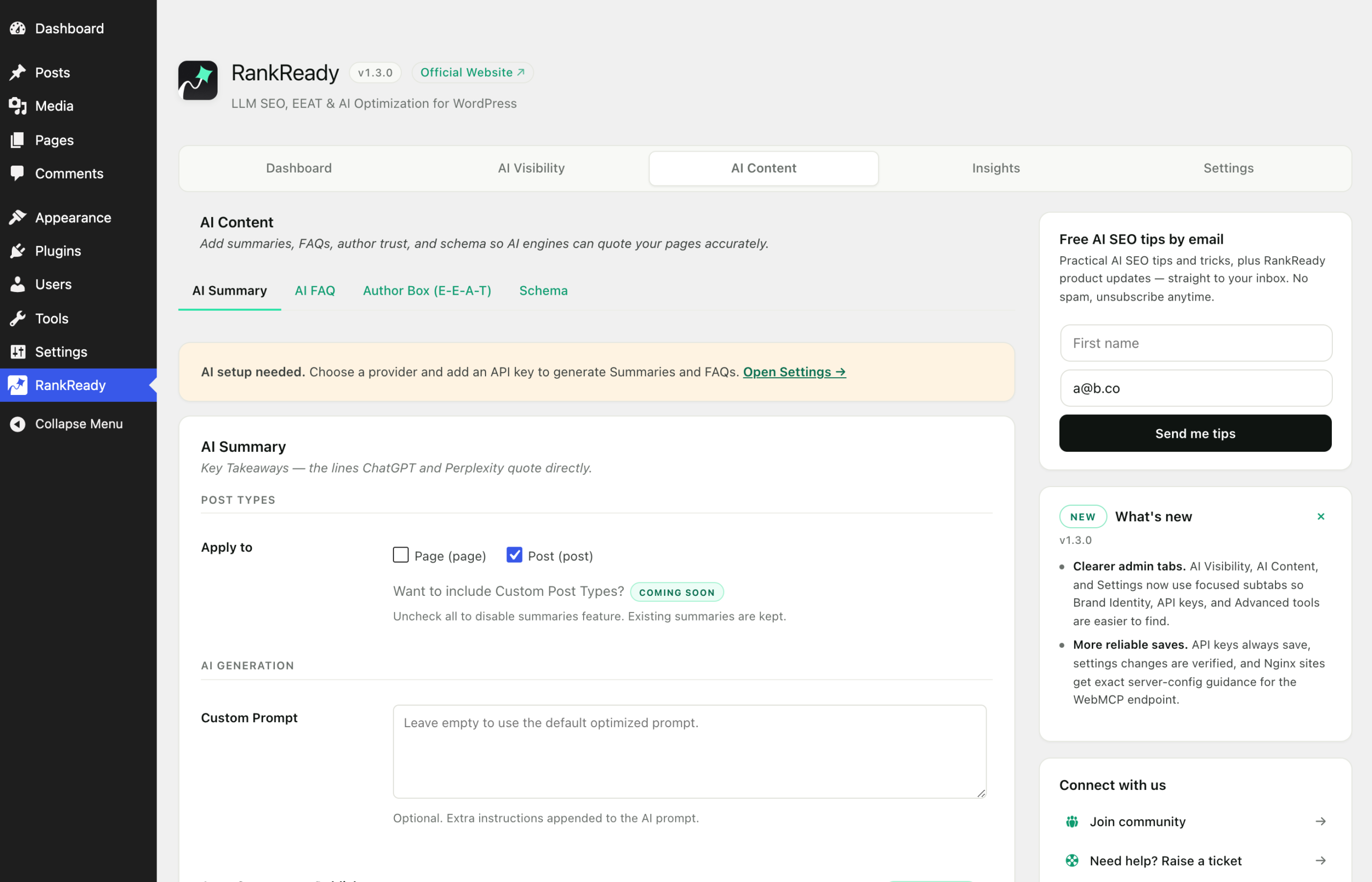
A block or widget that would render nothing is hard to find and select in an editor. So the three blocks and the three Elementor widgets now show a dashed placeholder inside the editor when the feature is switched off, is not enabled for that post type, or has nothing to show yet. For example, the Elementor summary widget says AI Summary is off. Turn it on in AI Content, then AI Summary.
The placeholder appears only in the editor. The block output saved in the post and the front end are unchanged, and a visitor never sees it.
Generating from the editor
The summary block and the Elementor summary widget have a Generate button, covered step by step in generating inside the post editor. In the block editor the button needs a saved post with a numeric ID, and reads Open a post to generate in a Site Editor template. The author box block says so on the block itself when it cannot find an author.
A block or shortcode renders whatever has been generated and stored for that post. It does not generate anything by itself, so on a post with no summary yet the summary block has nothing to show.
3. Machine-readable files at their own URLs
This is the part that has no equivalent in a page builder, because these are separate documents rather than page regions:
| URL | What it serves |
|---|---|
/llms.txt |
An AI-readable index of the site |
/llms-full.txt |
The full corpus in one file |
/{post-slug}.md |
Any post as clean Markdown with YAML frontmatter |
/index.md |
The homepage as Markdown |
/.well-known/mcp.json |
The WebMCP manifest |
/okf/ |
The Open Knowledge Format bundle |
/robots.txt |
A managed block between # BEGIN RankReady and # END RankReady |
Open any of them in a browser to see exactly what your site publishes.
How Markdown is served, and why
The distinct .md URLs always serve Markdown regardless of the Accept header. That is deliberate, for cache safety: a URL that returns different content types depending on a request header is easy for a cache to serve wrongly. Blocks, including dynamic ones, are included in the Markdown, and each edit refreshes that post’s Markdown. The details are in the Markdown page.
Content negotiation happens on the canonical URL instead, when you have switched it on. It is off on new installs. A request with Accept: text/markdown gets Markdown, text/html gets HTML, and an unsupported type returns 406.
/llms.txt and /okf/ support ETag and return 304 to a conditional request carrying If-None-Match. If you are testing with a tool that sends that header, an empty body is the correct response, not a failure.
What is in Pro rather than Free
These are built and shipping, in the paid RankReady Pro add-on:
- Custom post type support for WebMCP
- Automatic generation on publish
- Bulk regeneration
- HowTo and ItemList schema
- ACF and Secure Custom Fields values in the Markdown, per post type and per field, with nothing included until you tick it (Pro 1.1.0)
- Agent discovery files at
/.well-known/api-catalogand/.well-known/agent-skills/index.json, off by default and listing only the endpoints you have switched on (Pro 1.1.0)
What is not available yet
These are in neither Free nor Pro. Do not build a plan around them:
- Per-language
llms.txt - Multi-site management
- AI mention tracker
If a URL returns 404 or 403
- 404 on an endpoint. Go to Settings, Permalinks in wp-admin and click Save with no changes to regenerate rewrite rules. Some stacks, LiteSpeed with Rank Math among them, have been seen to intercept these paths; RankReady adds a raw request-path fallback for that case, so confirm you are on the current version.
- 403 on
/.well-known/mcp.json. This is your web server, not the plugin. Nginx blocks dotfile paths by default and no plugin can override it. The server fix islocation ^~ /.well-known/ { allow all; default_type text/plain; try_files $uri $uri/ /index.php?$args; }.
The honest summary
Placing RankReady output well means making sure the files exist, the schema is present exactly once, and the author box is visible where a reader expects it. Publishing all of that makes your content easier to fetch and parse. It is not evidence that anything read it.