How to add Article and Speakable schema
Put Article and Speakable JSON-LD on your posts with RankReady, and confirm it with Google's Rich Results Test.
Last updated October 15, 2026
This page takes you from a post with no structured data to a post that emits Article and Speakable JSON-LD, checked in Google’s Rich Results Test. There is one detail that catches people out, and it is covered below: Article schema will not appear until the post has a generated AI summary.
What RankReady emits
RankReady outputs four schema types as JSON-LD:
Articlefor the post itselfSpeakableto mark which part of the page is suited to being read aloudFAQPagewhen the post has FAQsPersonfor the author box
HowTo and ItemList schema are in RankReady Pro, not in the free plugin.
Article schema needs a summary first
This is verified behaviour, not a quirk of your install. RankReady builds the Article description from the AI summary stored on that post. If no summary exists, the code returns early and emits no Article JSON-LD at all.
So a post with schema switched on and no summary generated will produce nothing. The setting is not broken. It is waiting for content to describe. Generate the summary first, then check again.
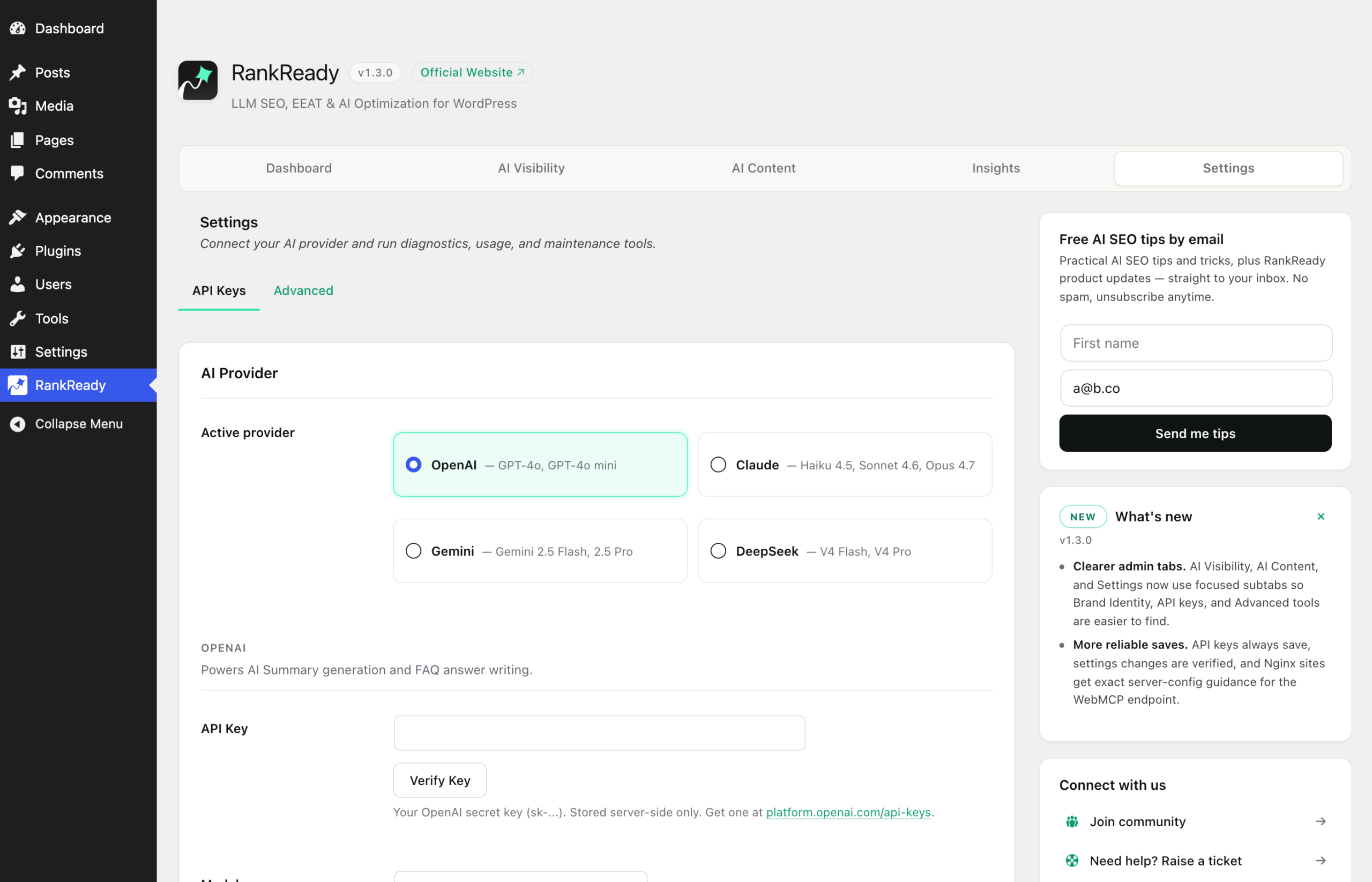
Step 1: connect an AI provider
Summaries need an AI provider key, so this is the one prerequisite. Open the RankReady menu in wp-admin and go to the Settings tab, in the API Keys section. RankReady supports OpenAI, Anthropic Claude, Google Gemini and DeepSeek. You bring your own key and paste it in. The key is stored in your site’s own wp_options table, encrypted at rest, and never leaves your site except to call the provider you chose.
Generation is unlimited. There are no monthly caps and no per-post counters. The only cost is your own usage with whichever provider you picked.
Step 2: generate a summary on the post
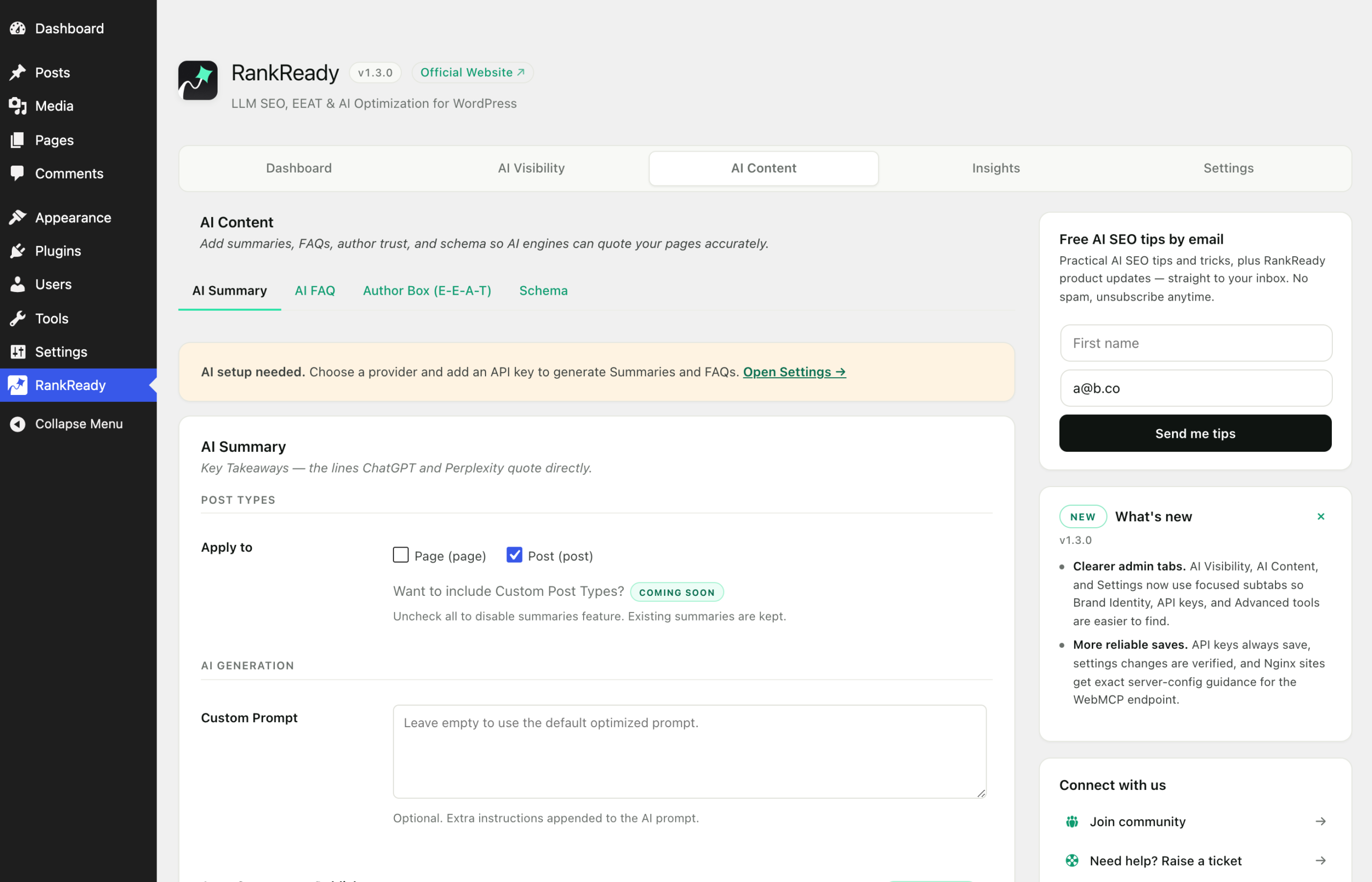
Go to the AI Content tab, then the Summary section. This is where summary generation and its options live. Generate a summary for the post you want to mark up. The result is stored as post meta on that post as a set of bullets, so it travels with the post in exports and backups.
In the free plugin you generate deliberately, post by post. Automatic generation on publish and bulk regeneration across all posts are both in RankReady Pro.
Step 3: check the output on the live URL
Open Google’s Rich Results Test and paste the live URL of the post. Use the published URL rather than a preview link, because the test fetches the page the way a crawler would and cannot sign in to your site.
In the results, open Detected items. You are looking for a single Article entry. Expand it and confirm the description reads like your generated summary. If it does, the chain is working end to end.
You can also check by hand. View source on the post and search for application/ld+json. The Article node should be there once.
Step 4: understand what Speakable is doing
Speakable is a schema.org property that identifies the sections of a page best suited to being read out loud. RankReady emits it alongside Article. It is a description of your page, nothing more. It does not change how your page looks, and it does not promise that any assistant will read your content. Treat it as a machine-readable label you are choosing to publish.
If no Article block appears
Work through this list in order:
- Does the post have a generated summary? This is the most common cause by a wide margin. No summary means no Article node.
- Did you test the live URL? A staging site behind HTTP authentication cannot be fetched by the Rich Results Test.
- Is a caching layer serving an old copy? Purge the page cache and test again.
- Is another SEO plugin active? That is fine and expected. See the next section.
Running alongside Yoast, Rank Math, AIOSEO or SEOPress
RankReady does not emit a second, competing block when one of those plugins is active. It merges into that plugin’s existing schema graph using the filters that plugin documents. Verified result: the Article count stays exactly 1. If you see two Article entries in the Rich Results Test, something else on the site is emitting one, and that is worth tracking down separately.
What this does and does not tell you
Valid schema means your page describes itself in a format machines can parse, and that a fetch of your page returns that description. It is not evidence that any AI product or search engine used it. Keep the two apart when you report on this work.