Which AI provider to choose, and what it costs
Compare the four AI providers RankReady supports, see which features need a key at all, and understand where the cost sits.
Last updated October 15, 2026
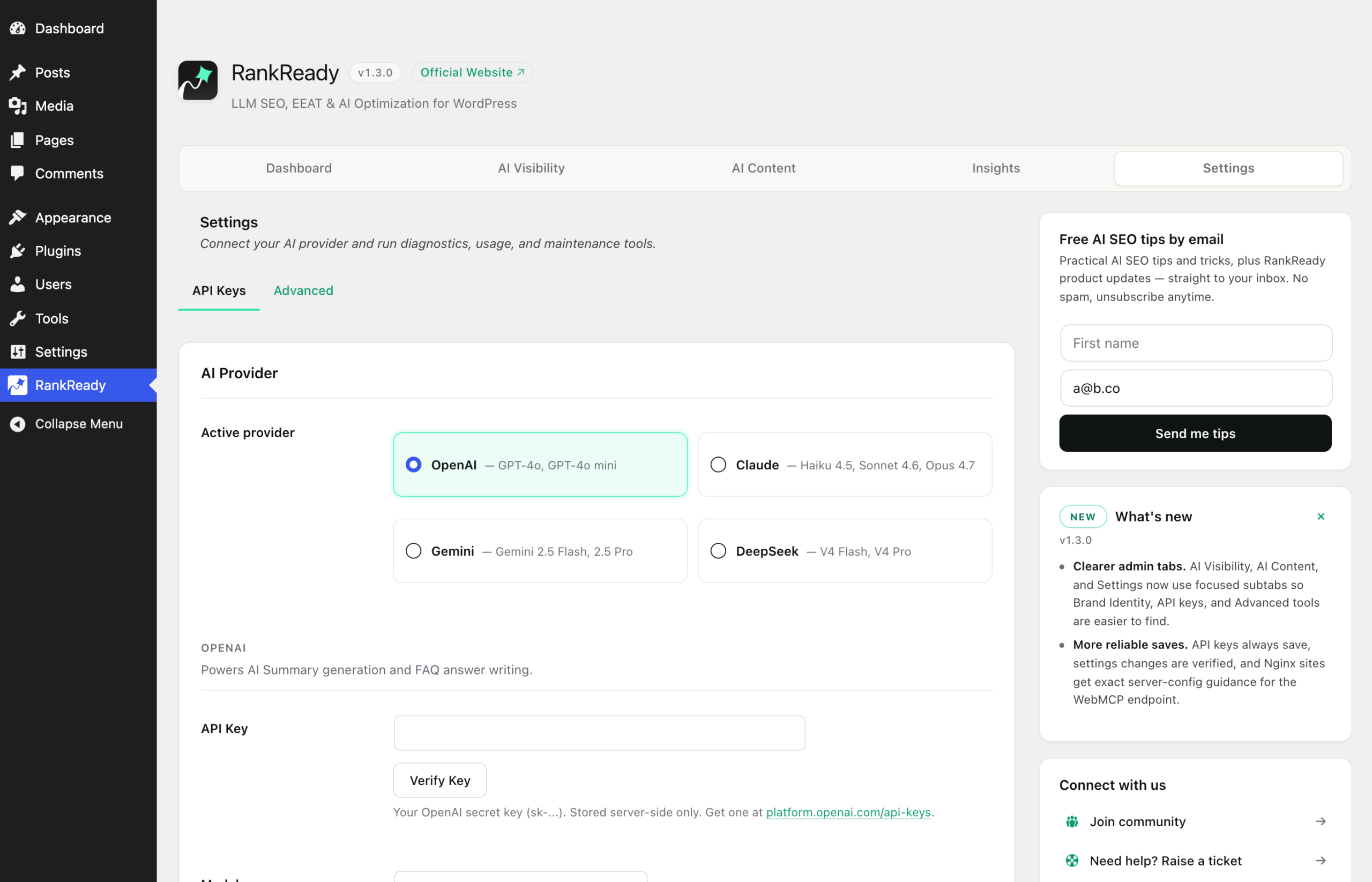
RankReady works with OpenAI, Anthropic Claude, Google Gemini and DeepSeek. You bring your own key. This page covers which features actually need one, where the cost sits, and how to pick without overthinking it.
Most of RankReady needs no key
Start here, because it changes the decision. A key is needed for exactly two features: AI summaries and the FAQ generator. Everything else runs with nothing connected.
| Feature | Needs an AI key |
|---|---|
| AI summaries | Yes |
| FAQ generator | Yes |
/llms.txt and /llms-full.txt |
No |
| Markdown endpoints | No |
| AI crawler controls | No |
| Article schema | No, but it needs a generated summary to exist |
| Author box | No |
| AI referral tracking | No |
| Freshness scanner | No |
| WebMCP manifest | No |
So you can install RankReady, publish /llms.txt, set your crawler rules and add the author box today, and decide about a provider later. The one thing to know is that Article schema builds its description from a summary and emits nothing without one, so schema and provider are linked in practice.
Where the cost sits
RankReady puts no limits on generation. There are no monthly caps, no per-post counters and no upgrade prompts when you hit a number. It does not proxy your requests either. Your site calls the provider directly with your key.
That means the cost is your own provider usage, billed by that provider, on their pricing. RankReady adds nothing to it. Published prices change often enough that it is not worth quoting them here: check the pricing page of the provider you are considering, and check your own usage dashboard after your first batch of posts, which will tell you more than any estimate.
DataForSEO is a separate, optional service used only by the FAQ generator to look up real People Also Ask questions. If you do not use it, it costs nothing because you never connect it.
How to choose
An honest answer first: for generating summaries and FAQs from an article you have already written, all four providers are credible. This is not a task that separates them dramatically. Use these criteria in order.
- Do you already have an account? If your team already runs one of the four, use it. One bill, one dashboard, one set of credentials to rotate.
- Do you have a policy constraint? Some organisations have rules about which vendors may process their content. That decision is usually made above the plugin.
- What does your own testing say? Generate a summary for the same three posts on two providers and read the results side by side. Fifteen minutes of your own comparison is worth more than any general claim about which model writes better.
- What does it cost you at your volume? Check after a real batch, not before.
One data point from the plugin itself: the Google Gemini key screen in RankReady recommends gemini-2.5-flash for both summaries and FAQs. It is a suggestion in the settings, not a measured comparison against the other providers.
Where your key lives
If a provider key is missing, the API Keys screen now says how to fix it instead of showing an empty box.
Paste the key in the Settings tab, in the API Keys section, under the RankReady menu. It is stored in your site’s own wp_options table, encrypted at rest. It is not sent anywhere except to the provider it belongs to.
Sensible handling applies as it would anywhere:
- Use a key created for this site, not a shared personal key.
- Where your provider supports usage limits on a key, set one.
- Rotate the key at the provider if it has ever been pasted into a chat, an email or a ticket.
- Remember that anyone with administrator access to the WordPress site can use the key through the plugin.
Switching provider later
You are not locked in. Paste a key for a different provider in Settings and select it. Summaries and FAQs you have already generated are stored as post meta on each post, so they stay exactly as they are. Changing provider affects what happens next, not what already exists. If you want an old post regenerated on the new provider, regenerate that post.
What to expect from the output
A summary is a compact, accurate description of a page you wrote. FAQs are questions and answers your page supports. Both are worth having and both need a human read before you publish them. Neither is a ranking feature, and generating them is not evidence that any AI product read or used your content. Pick the provider that is easiest for you to manage, keep your spend visible, and judge the output by reading it.