How to set brand terms and brand identity
Describe your site once in RankReady's Brand Identity screen, then read back exactly what your site publishes about itself.
Last updated October 15, 2026
Brand Identity is where you tell RankReady what your site is and what it should be called. It takes a few minutes, it needs no AI provider key, and it is worth doing before you generate anything else, because it is the description your site publishes about itself.
Where to find it
Open the RankReady menu in wp-admin, go to the AI Visibility tab, then the Brand Identity section. The AI Visibility tab is the one that holds everything about how machines read your site: Brand Identity, robots rules, llms.txt, Markdown, WebMCP and the Open Knowledge Format bundle.
One navigation note that saves confusion: the AI Visibility tab uses tab=crawlers in the URL, not tab=visibility. If you are bookmarking screens or writing internal instructions, use the URL you actually see in the address bar.
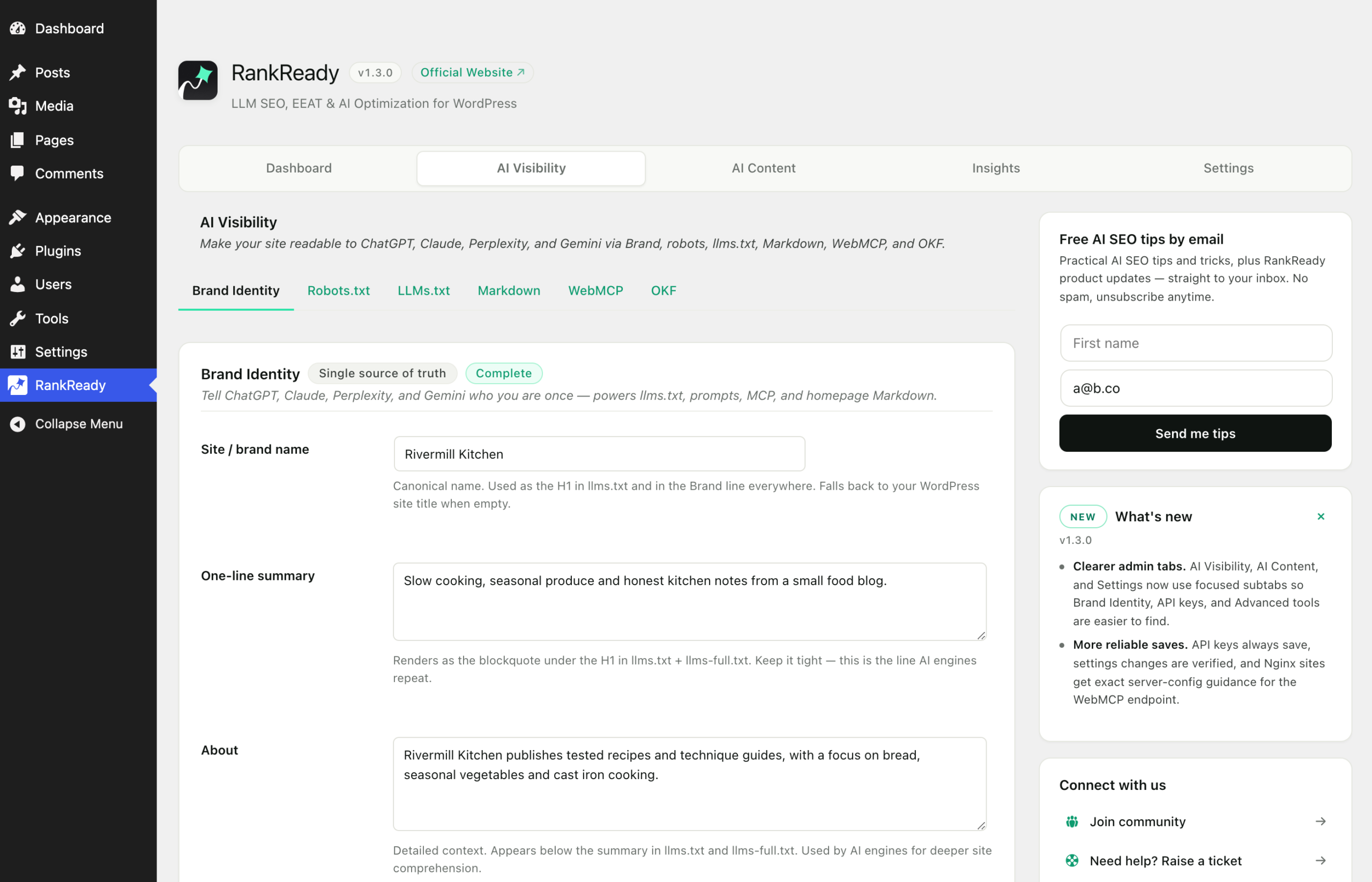
What to write
Treat this as a factual description, not a pitch. The audience is a parser and, indirectly, a reader who has never heard of you.
- Use the name people actually use. If your site is known by a short form, use the short form, and be consistent about capitalisation.
- Say what the site is in one sentence. What it publishes, who it is for. No adjectives that could apply to any site in your category.
- List your brand terms. These are the names you want used for your organisation and your products, including any spellings you care about. If a product name is two words, write it as two words everywhere.
- Leave out claims you cannot back. “Leading”, “award-winning” and “trusted by thousands” describe nothing and cost you credibility with a reader who checks.
Consistency is the point. Where a name appears in more than one form across a site, anything reading that site has to decide which form is correct. Picking one and stating it removes that ambiguity.
Save, then read your own output
RankReady prints a notice when the save goes through. The useful discipline after that is to stop guessing what your site says and go and read it. Open these URLs directly in a browser:
/llms.txtfor the AI-readable index of your site/llms-full.txtfor the full corpus in one file/index.mdfor your homepage as Markdown/okf/for the Open Knowledge Format bundle
Read /llms.txt in particular as if you knew nothing about the site. Does the description match what you have just written? Is the naming consistent throughout? If something reads badly there, fix it at the source rather than editing the file, because these endpoints are generated.
Caching and how the files are served
/llms.txt and /okf/ support ETag and return 304 to a conditional request with If-None-Match. That means a client that already has the current version does not have to download it again. It also means that if you are testing with a tool that sends If-None-Match, an empty response body is a correct answer rather than a fault.
When you have just saved changes and the old text is still showing, purge your page cache and any CDN cache and load the URL again.
If an endpoint returns 404
These URLs are served through WordPress rewrite rules, and rewrite rules occasionally go stale. Two things to try, in order:
- Re-save your permalinks. Go to Settings, Permalinks in wp-admin and click Save with no changes. This regenerates the rules.
- Check for another plugin intercepting the request. Some stacks, LiteSpeed with Rank Math among them, have been seen to intercept these paths. RankReady added a raw request-path fallback for exactly this case, so make sure you are on the current version.
A separate case: if /.well-known/mcp.json returns 403, that is your web server, not RankReady. Nginx blocks dotfile paths by default and no plugin can override it. It needs a server configuration change.
Keep it current
Brand Identity is not a set-and-forget field. When you rename a product, change what the site covers or drop a service, come back and update the description, then re-read /llms.txt to confirm the change is live. A stale self-description is a quiet problem, because nothing on the site will look broken while it is wrong.
What this does not do
Writing a clear Brand Identity makes your site’s own description of itself consistent and readable. It does not influence rankings, it does not cause any AI product to mention you, and there is no metric anywhere that will show it working. It is basic hygiene: say who you are, once, accurately.