AI mentions (Beta): what it does and what it does not
Last updated November 12, 2026
AI mentions asks ChatGPT, and Google for its AI Overview, the questions you choose, then checks each answer for your site. You see whether the answer named your site, and how. It is a RankReady Pro feature. It measures only: it changes nothing on your site, and a mention is not something RankReady can promise. AI mentions is in beta, and we want your feedback at rankready@hostmy.blog.
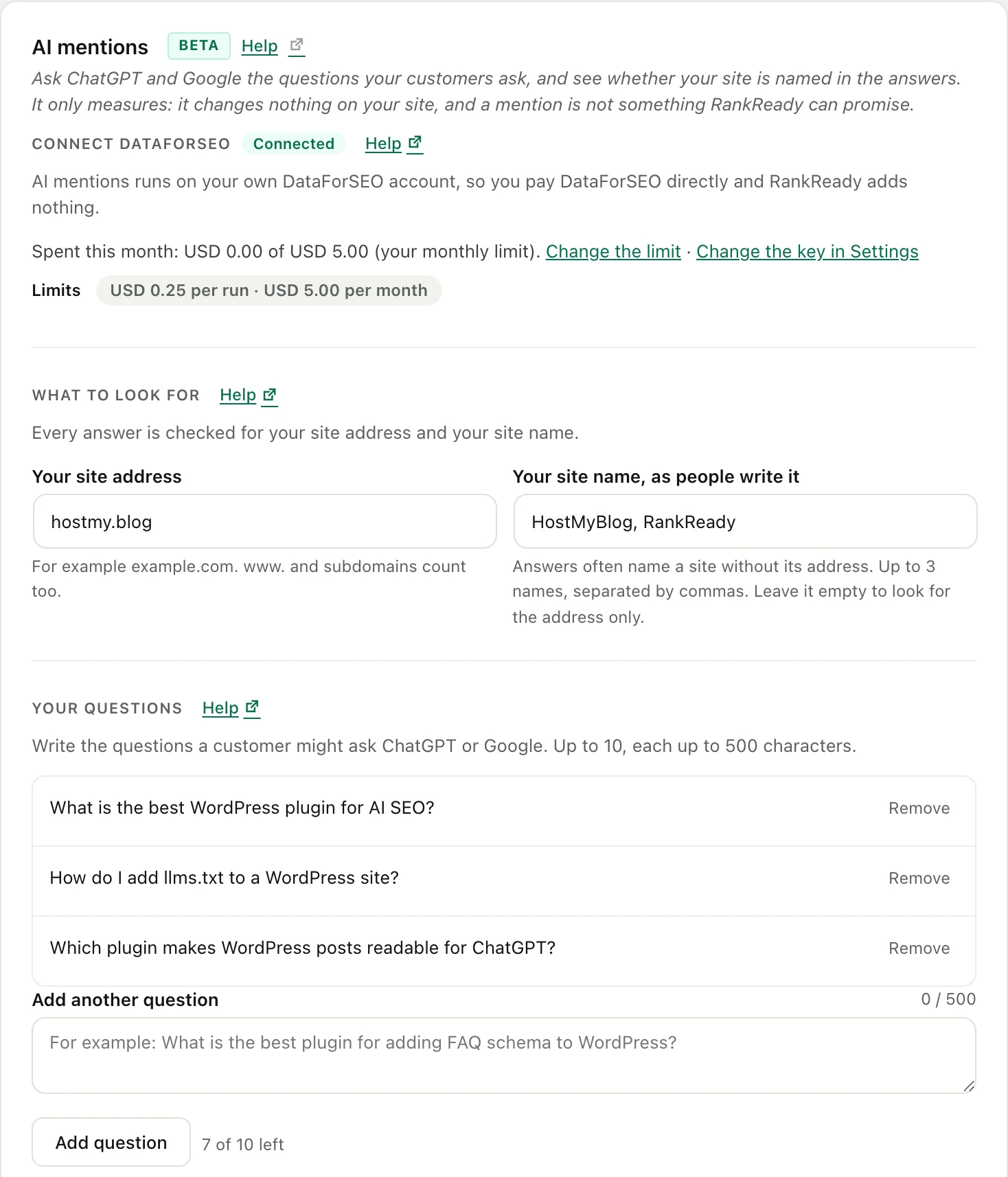
Where it is
With RankReady Pro active, RankReady, Insights opens on the AI mentions tab. Every section on the screen has a Help link to its guide.
What it does
- Connect DataForSEO: save your own DataForSEO login and password in RankReady, Settings, API Keys. The pill says Connected or Not connected. The cost of every check goes on your DataForSEO account.
- What to look for: check Your site address and Your site name, as people write it (up to three names, separated by commas).
- Your questions: write up to 10 questions a customer might ask, each up to 500 characters.
- Run a check: under Ask, tick gpt-5.4-nano, gpt-5.6-luna and/or Google AI Overviews, press Review cost and run, then Send (or Cancel). Nothing is sent before you press Send.
- Automatic checks and emails: optional, and covered below.
- Each answer is checked with plain text matching. No AI model reads or judges the answer.
What it asks
- gpt-5.4-nano and gpt-5.6-luna: ChatGPT models, through DataForSEO. About USD 0.015 a question to start. An answer that searches the web costs more than one that does not.
- Google AI Overviews: each question is searched on Google (United States, English) and RankReady reads the AI Overview Google shows and the sources it lists. About USD 0.004 a question. When Google shows no AI Overview for a question, the result says so.
A developer can change the list with the rnrd_pro_mentions_models filter.
What a result means
- A: your site address is in a source link the answer showed.
- B: your site address is in the answer text.
- C: your site name is in the answer text. Answers often recommend a site by name without its address, which is why the name field exists. It starts as your site title; clear it to look for the address only.
A match means the answer named your site. It says nothing about rankings or traffic. Not being named in one answer on one day is a single reading and does not mean anything is wrong with your site.
Cost and limits
- You see an estimate before anything is sent. You are charged what DataForSEO reports for each answer, and RankReady records exactly that.
- A per-run limit (USD 0.25 to start) and a monthly limit (USD 5.00 to start) stop a run before it is sent. Change them under Limits.
- The same question on the same model is reused for 24 hours instead of charged again.
Automatic checks and emails
- An optional automatic check, with How often set to Daily, Weekly or Monthly. It is Off until you change it. An automatic check asks the same as Run a check, and has its own cost limit (Most one automatic check may cost, USD 0.10 to start). The screen shows the monthly estimate before you save.
- Optional emails, off until you turn them on, sent through your site’s own mail to the signed-in administrator’s email, which you can change: when a question newly names your site, a weekly summary of answers and spend, a reminder after a quiet spell, and a note if an automatic check could not finish. Every email says how to turn it off.
Who can use it
- RankReady Pro 1.2.0 with an active licence, and RankReady (free) 1.4.0 or newer, active.
- Only administrators (the
manage_optionscapability) see the screen and its settings. - RankReady runs alongside Rank Math, Yoast SEO and AIOSEO. AI mentions does not touch their settings.
Step-by-step guides
- Connect DataForSEO
- Your questions
- Cost estimate and limits
- Read your results
- Automatic checks and emails
- Privacy and what is sent
- Troubleshooting
FAQ
Is this in the Free plugin?
No. AI mentions needs RankReady Pro 1.2.0. In the free plugin the AI mentions tab under Insights shows what the feature does, marked Pro, and sends nothing.
Does it ask Claude, Gemini or Perplexity?
No. It asks the two ChatGPT models above and reads Google’s AI Overview.
Which country does the Google check use?
United States, in English.
What leaves my site?
Your questions and the model you chose go to DataForSEO, with your DataForSEO login. Your post content is never sent.
Can I switch it off completely?
Yes. Add define( 'RNRD_PRO_MENTIONS_DISABLED', true ); to wp-config.php. The feature does not load.