How to uninstall RankReady cleanly
Deactivate, opt out of usage data and delete RankReady, then verify nothing is left serving on your site.
Last updated August 25, 2026
This page removes RankReady from your site and then checks that it is actually gone. Follow it in order. The checks at the end matter more than the removal itself, because a leftover endpoint or a stale robots.txt block is the kind of thing nobody notices for months.
Step 1: Decide what to do about generated content
Do this before you delete anything, because it is easier while the plugin is still active.
RankReady stores generated content as post meta:
_rnrd_summaryholds the AI summary, in the shape{"bullets":[...]}._rnrd_faqholds the FAQ as a flat array of objects, each with aquestionand ananswer.
If you want that text kept, copy it out now while the AI Content tab can still show it to you. If you plan to reinstall later, leaving it in place is fine.
Your posts and pages themselves are not affected either way. RankReady does not write into your post body, so removing it does not take content out of your articles.
Step 2: Turn the endpoints off first
This is optional but it is the tidy path. Go through AI Visibility (tab=crawlers) and switch off the features you enabled: robots, llms, markdown, webmcp and okf.
Version 1.3.0 clears stale rewrite rules when you turn a feature off, so you should not be left with a raw 404 at an old endpoint. Doing this while the plugin is still installed means the cleanup runs properly rather than the rules simply being orphaned.
Step 3: Opt out of usage data
If you allowed plugin usage data on activation, opt out before you remove the plugin. An Opt Out link appears next to RankReady on the Plugins page.
If you skipped the prompt when you activated, there is nothing to do here. Nothing was ever sent.
For reference, what the opt-in covered was: site URL, WordPress and PHP versions, your name and email, active plugins and theme, and activation and deactivation events. Post content, AI keys and visitor data were never included.
Step 4: Deactivate
Go to Plugins and click Deactivate under RankReady.
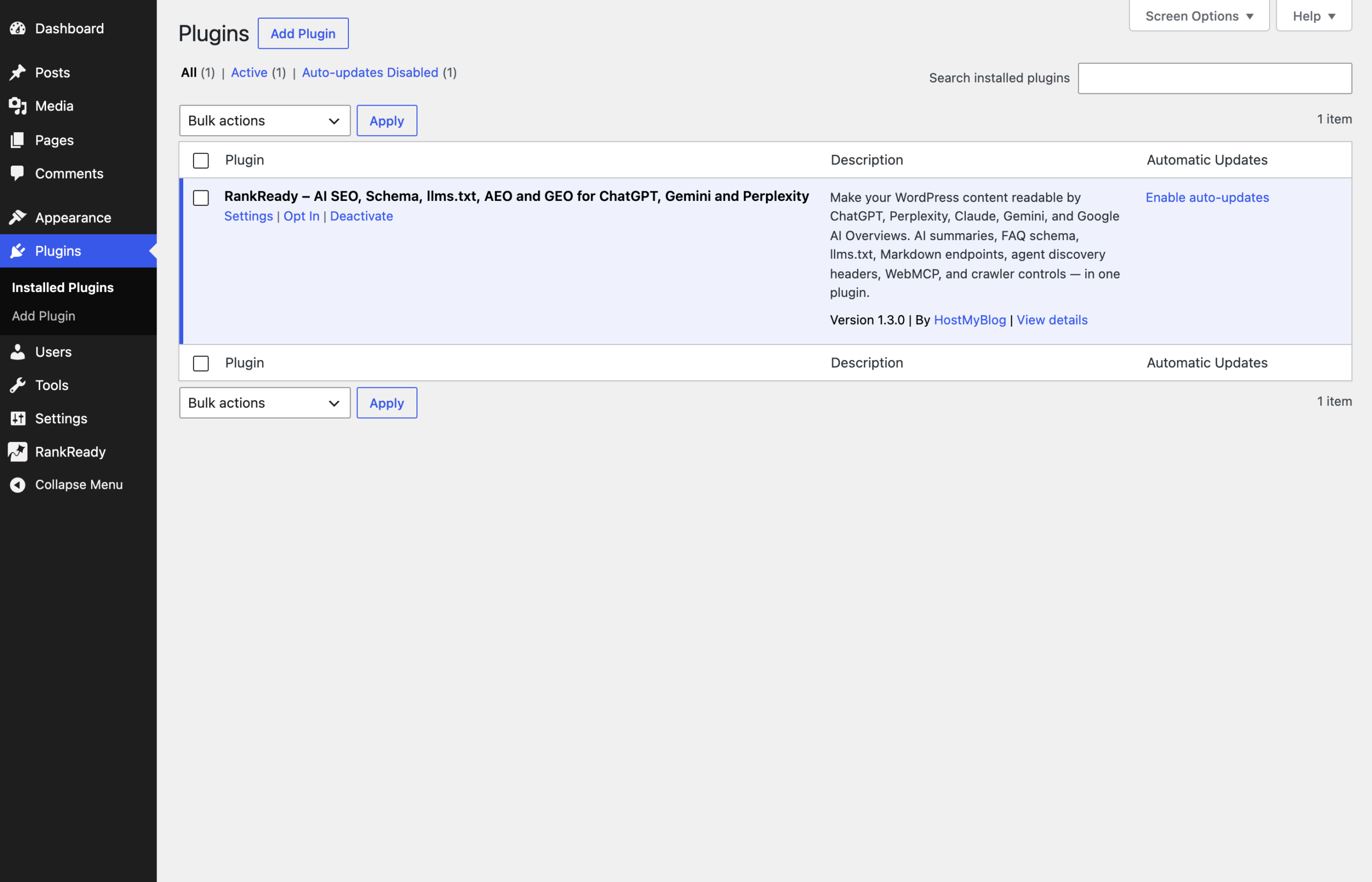
Deactivation stops the plugin from running. The admin menu item disappears and the endpoints stop being served.
Step 5: Delete
Once deactivated, a Delete link appears. Click it and confirm. WordPress removes the plugin files from wp-content/plugins/rankready-ai-llm-seo.
If you only wanted to pause the plugin, stop at deactivation instead. Deactivating is reversible in one click.
Step 6: Check what is left serving
Now verify from outside the admin. Load each of these on your site:
/llms.txtshould no longer return the generated index./llms-full.txtshould no longer return the corpus./index.mdand any/{post-slug}.mdshould no longer return Markdown./okf/should no longer return the bundle./.well-known/mcp.jsonshould no longer return the manifest. On nginx this path was probably already returning 403, so a 403 here tells you nothing either way.
If any of them still respond with RankReady output, go to Settings, Permalinks and click Save Changes once. That regenerates rewrite rules and clears stale ones. Also clear any page cache or CDN cache, because a cached copy of /llms.txt can outlive the plugin that produced it.
Step 7: Check robots.txt
Open /robots.txt and look for the markers # BEGIN RankReady and # END RankReady.
If the block is gone, you are done. If you have a static robots.txt file on disk rather than one WordPress generates, open it in your file manager or over SFTP and delete everything from # BEGIN RankReady to # END RankReady inclusive. Leave everything outside those markers alone, because that content did not come from RankReady.
This matters more than it sounds. A leftover block could keep telling AI crawlers to stay away long after you removed the plugin that wrote it.
Step 8: Check your schema
If you were running Yoast, Rank Math, AIOSEO or SEOPress, RankReady was merging into their schema graph rather than emitting its own block. Removing RankReady removes what it contributed. Your SEO plugin’s own schema output continues as before.
View source on a post and confirm you still have the schema you expect from your SEO plugin. Article schema that came from RankReady, which required a generated summary on that post, will no longer be there.
What survives removal
Two categories are worth checking yourself rather than assuming:
- Post meta. Look at a post that had a summary and check whether
_rnrd_summaryand_rnrd_faqare still present in its custom fields. If they are and you want them gone, remove them deliberately. - Third party services. Your AI provider key and any DataForSEO credentials exist at those providers, not just in your site. Deleting the plugin does not revoke them. If you no longer need them, revoke or rotate them at the provider.
Your provider account also keeps its own usage history. That is between you and them.
Reinstalling later
If you reinstall, install from Plugins, Add New and search for RankReady as normal. Any post meta still on your posts is there for the new install to find. Re-save Permalinks once after activation so the endpoints come back cleanly, and work through the AI Visibility subtabs again to turn back on only what you want.