
Hatch use cases: blogs, agencies, docs sites and WooCommerce
How Hatch Connect fits blogs, agencies, documentation sites, WooCommerce shops and developers, plus cases where a headless Cloudflare setup is not a fit.
Last updated November 3, 2026
Hatch Connect is built for site owners and agencies who want an easy way to deploy a frontend on Cloudflare without running servers, and for developers who want a stable, documented REST API to build their own frontend against. Here is how that plays out for common kinds of sites, including where it fits less well.
Blogs and content sites
Writers keep the normal block editor. Posts, pages, menus and search data reach the Astro frontend over REST, and publishing or updating content tells the frontend to show the change. Comments sent from the frontend go through normal WordPress moderation. If you use RankMath or Yoast SEO, Hatch passes your titles, descriptions and social settings to the frontend.
Good fit when: you mainly publish articles and want visitors served from Cloudflare. Check first: plugins that only change theme output will not show on the frontend.
Agencies managing client sites
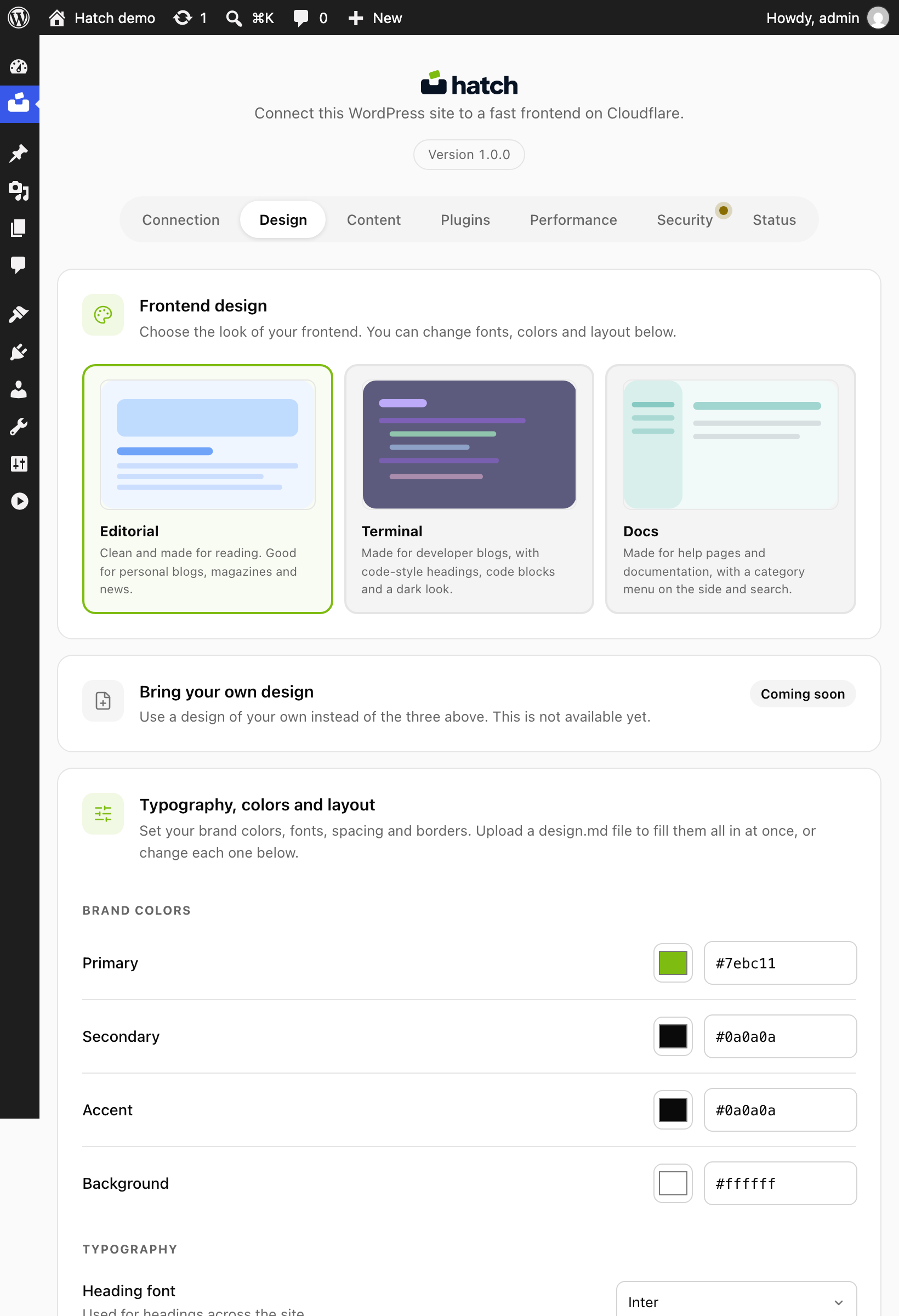
Each deploy goes to the client’s own Cloudflare account with a token the client or agency creates; there is no Hatch account or Hatch server in between. Clients keep the WordPress dashboard they know. The Design tab lets you pick a starter design and set colours, fonts and layout, and the Status tab gives a plain checklist of what needs attention.
Check first: every client site must be online over https so the Worker can reach it.
Documentation and knowledge-base sites
Pages, custom post types, menus and search data are part of the hatch/v1 REST output, which suits structured documentation. If you use Advanced Custom Fields, Hatch reads those values and passes them to the frontend. Teams that want a fully custom docs layout can build their own frontend against the same REST API instead of using the Astro one.
WooCommerce shops
Hatch reads WooCommerce when it is active. If you switch on Frontend accounts, visitors can sign in, and the frontend shows its login and registration pages only when WooCommerce is also active. Login sets the normal WordPress login cookie because WooCommerce keeps carts and orders on that session. Stripe and PayPal payment fields load on the checkout page only when you switch on that gateway in WooCommerce and add its public key.
Check first: shops depend on many extensions. Test your checkout, extensions and payment flow on a staging site before moving live traffic.
Sites with forms
Hatch reads Fluent Forms, WPForms, Contact Form 7 and Gravity Forms. Entries sent from the frontend are stored in your own database, and optional Cloudflare Turnstile adds spam protection. See add Cloudflare Turnstile to WordPress forms.
Developers building their own frontend
You do not have to use the deployed frontend. The REST API works with any frontend you build, and the Astro starter’s source is public at github.com/eticastudio/hatch.
When Hatch is not a fit
- You need a host other than Cloudflare for the frontend.
- Your WordPress site is only on localhost or a private network and you cannot use a tunnel.
- You rely on a page builder whose output only exists inside the theme.
FAQ
Can I try Hatch on a workers.dev address first?
Yes. Choose the free workers.dev address in the setup guide, and switch to your own domain later.
Does Hatch cost extra per site?
Hatch itself has no fees. Cloudflare sets its own limits and prices.
Can I undo it for a client?
Yes. Disconnect on the Connection tab stops the redirect; delete the Worker in Cloudflare if it is no longer needed.