
How to disable XML-RPC in WordPress
Disable XML-RPC in WordPress with the Hatch Security switch, a core filter or a server rule. Learn what still uses xmlrpc.php and how to verify it is off.
Last updated October 29, 2026
XML-RPC is an old remote interface in WordPress, reached at xmlrpc.php. Most modern sites do not need it, and it is a common target for automated login attempts. This guide explains what it is, what still uses it, and how to turn it off, including with Hatch Connect’s Security switch.
What XML-RPC is
Before the REST API existed, XML-RPC let desktop editors, mobile apps and other sites talk to WordPress, for example to publish posts remotely or send pingbacks. The REST API now covers most of these jobs. Background reading: the WordPress REST API Handbook.
Check before you disable it
Some tools still rely on XML-RPC. Jetpack has historically used it to connect to WordPress.com, and some older mobile or desktop publishing apps use it too. Pingbacks and trackbacks also go through it. If you use any of these, test after disabling.
Option 1: the Hatch Security switch
Hatch includes security protections you can switch on or off, and one of them closes the old XML-RPC door.
Step 1: open the Security tab
In wp-admin, open Hatch, then the Security tab.
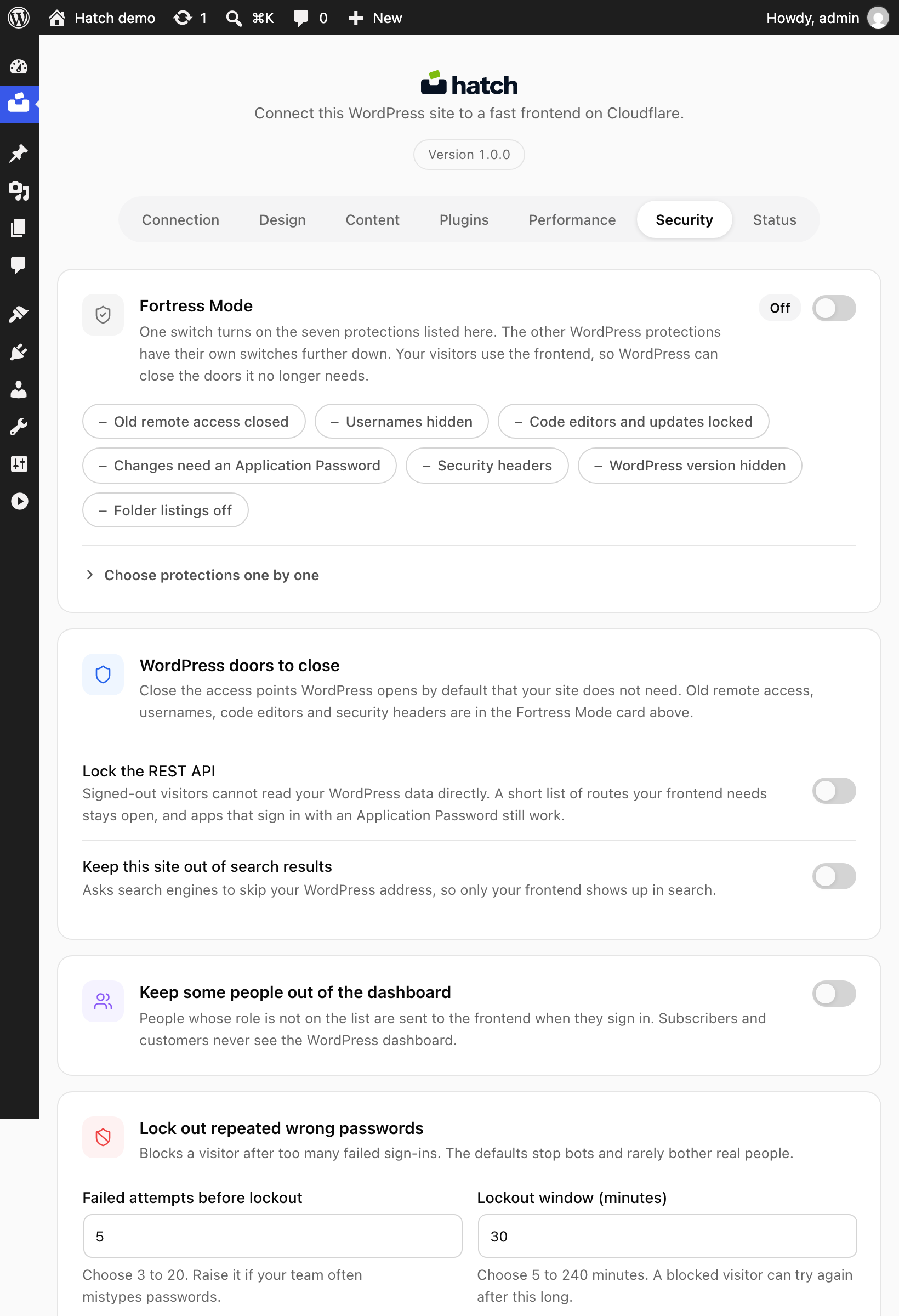
Step 2: switch on the XML-RPC protection
Turn on the switch that closes XML-RPC and save. You can turn it off again at any time.
Step 3: verify it worked
Send a request to the endpoint and compare the response before and after:
curl -i -X POST https://example.com/xmlrpc.phpReplace the address with your WordPress address. If it still answers normally, clear any page cache and check that another plugin or server rule is not overriding the setting.
Option 2: a code snippet
WordPress core provides the xmlrpc_enabled filter. Adding this to a small site-specific plugin turns off XML-RPC methods that require authentication:
add_filter( 'xmlrpc_enabled', '__return_false' );This filter does not block every XML-RPC method, and xmlrpc.php still responds. To stop requests reaching the file at all, use a server rule or a security plugin.
Option 3: block it at the server or at Cloudflare
On Apache you can deny access to xmlrpc.php in .htaccess; on Nginx, with a location rule. If your domain is proxied by Cloudflare, a WAF custom rule can block the path. Ask your host if you are unsure which server you use.
Other protections worth considering
The same Security tab can lock down the public WordPress data feed, hide usernames, lock out repeated wrong passwords, add browser safety headers and add Turnstile to the sign-in form. See Hatch security hardening.
FAQ
Will disabling XML-RPC break the Hatch frontend?
The Hatch frontend reads content over the REST API under hatch/v1, not XML-RPC.
Does disabling XML-RPC disable the REST API?
No. They are separate interfaces. Locking down the REST API is a different setting.
Do I need Hatch to disable XML-RPC?
No. The snippet or a server rule works without it. The Hatch switch is a convenience if you already use the plugin.