
What headless WordPress on Cloudflare is, and how it works
Headless WordPress on Cloudflare explained: WordPress as back office, REST API, and a Worker frontend. What you need and how Hatch sets it up for you.
Last updated October 28, 2026
Headless WordPress on Cloudflare means WordPress stores and manages your content, while a separate frontend running on Cloudflare’s network shows it to visitors. This page explains the pieces, what you need, and how Hatch Connect sets it up from your WordPress dashboard.
The three pieces
- WordPress as the back office: posts, pages, menus, media and settings.
- An API that shares that content. Hatch uses the WordPress REST API under the
hatch/v1address. - A frontend on Cloudflare. Cloudflare offers Workers, which run code on its network. See the official Cloudflare Workers documentation.
How Hatch puts them together
Hatch uploads an Astro-built frontend to your own Cloudflare account as a Worker, using a Cloudflare API token that you create and paste in. There is no Hatch server, no Hatch account and no Hatch-hosted deploy service: the plugin talks to Cloudflare directly.
- Install and activate Hatch. A short setup guide opens.
- Create a Cloudflare token with the permissions the guide lists, and paste it in.
- Choose a free workers.dev address or one of your own domains, read the list of changes, and press Deploy.
Nothing on your site or in your Cloudflare account changes until you press Deploy.
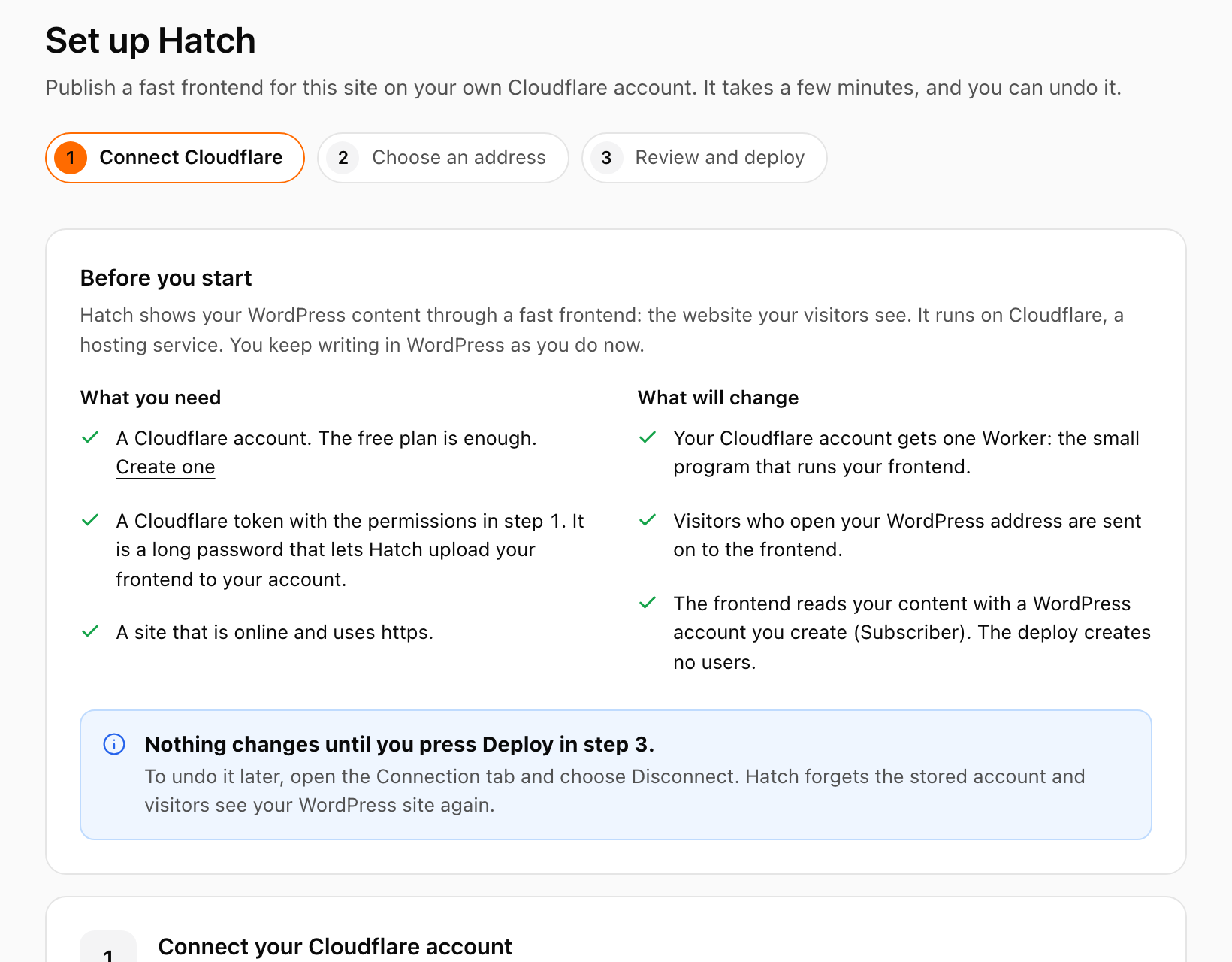
What you need
- A Cloudflare account. The free plan includes Workers; Cloudflare sets the limits and prices, see Workers limits.
- A Cloudflare token with the right permissions. See create the Cloudflare API token Hatch needs.
- A WordPress site that is online and uses https, so the Worker can reach it. A site on localhost or a private network cannot be read by the deployed frontend; use a public address or a tunnel.
- A low-privilege WordPress user (Subscriber) with an Application Password, which you create yourself for the frontend to read content.
How content stays in sync
Publishing or updating content tells your frontend to show the change. Hatch also runs a 15-minute check of your frontend address once you have saved one, and the Connection screen shows whether the frontend is answering and when it last refreshed.
What it does not do
- Hatch deploys to Cloudflare only in this version.
- It does not create users or Application Passwords, and it never installs or switches a theme.
- Plugins that only change theme output will not affect the frontend unless Hatch reads their data. Supported plugins are listed in the Hatch Connect FAQ.
FAQ
Is headless WordPress on Cloudflare the same as a static export?
Not exactly. A static exporter writes HTML files you upload. Hatch deploys a Worker that reads WordPress over REST and refreshes when you publish, and forms and comments are sent back to WordPress.
Does it cost money?
Hatch itself has no fees. The free Cloudflare plan includes Workers; check Cloudflare’s own limits and pricing pages for your usage.
Can I use my own domain?
Yes. Choose one of your domains instead of a workers.dev address. The token then needs Zone Read and Workers Routes Edit permissions.