
Redeploy and Auto-Refresh on Publish
How Hatch Connect tells your Astro frontend on Cloudflare to refresh when you publish, update or delete a post, and how to trigger a refresh by hand.
Last updated October 29, 2026
By the end of this guide you will know how Hatch keeps your Cloudflare frontend in step with WordPress: which events send a refresh signal, how the signal is secured, where to see the last refresh, and how to fire one manually.
How auto-refresh works
Hatch listens to WordPress post events. When a post is created or updated with the status publish, deleted, or changes status, Hatch sends a request to the frontend’s revalidation endpoint. Revisions, autosaves and posts in the auto-draft, inherit or trash states are skipped. By default only posts and pages trigger a refresh. Changes to site options also trigger a refresh, batched at the end of the request.
The request carries the event name and a tag in the query string. The shared secret travels only in the X-Hatch-Secret header, never in the URL, so it does not end up in access logs. The request is non-blocking with a 5-second timeout, so publishing is never slowed down.
Nothing is sent unless both a revalidation endpoint and a webhook secret are set. Both are set for you when you deploy.
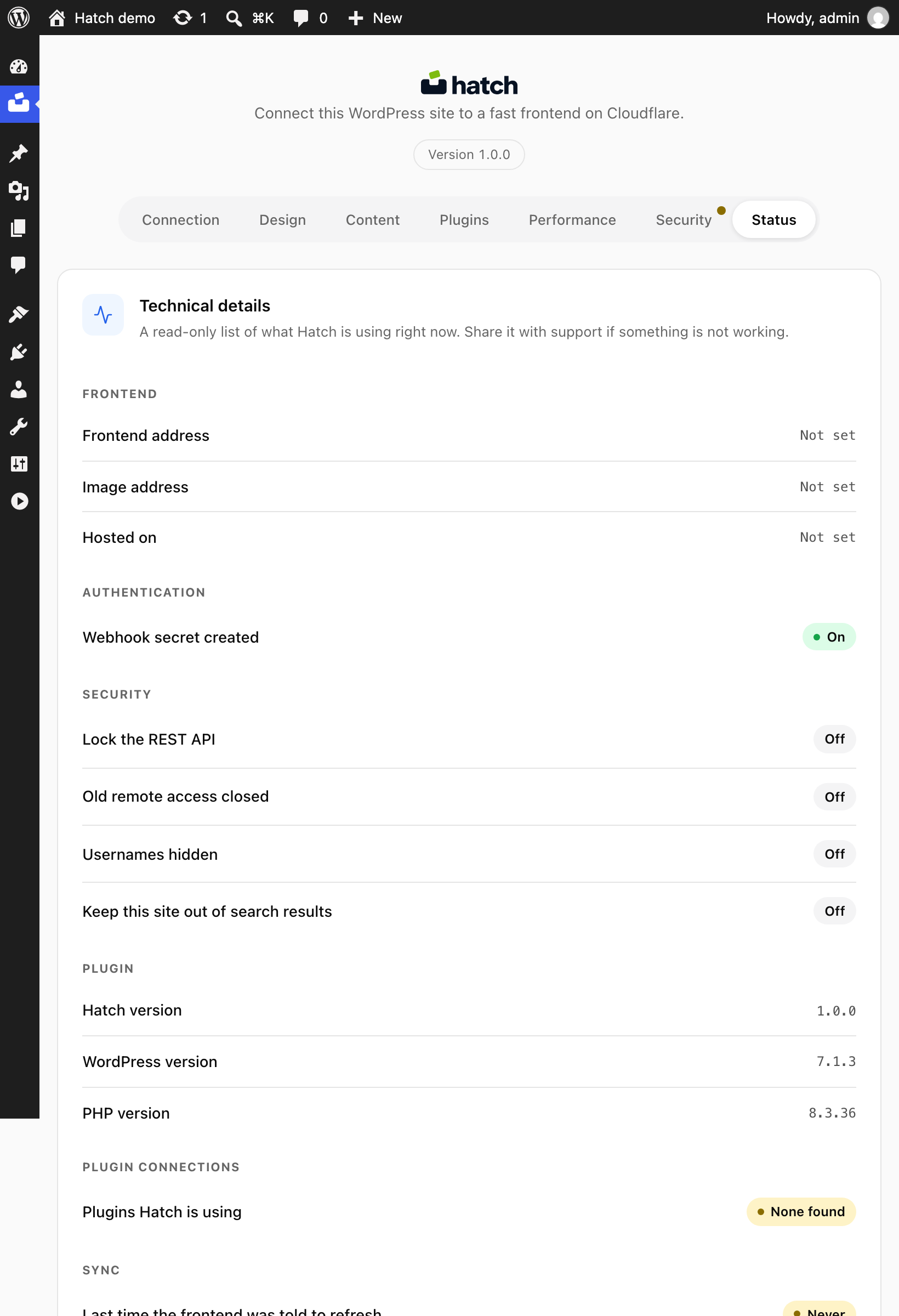
Check the last refresh
- Open Hatch in wp-admin.
- Go to the Status tab.
- Look at Last time the frontend was told to refresh. It reads Never until the first signal is sent.
Turn auto-refresh on
- Open Hatch and find the setting Refresh the frontend when you publish.
- Make sure it is switched on and save.
- Publish or update a post and check the Status tab again.
Trigger a refresh by hand
If you have WP-CLI, run:
wp hatch revalidate --reason=manualThis fires the revalidation webhook once. The admin Test connection button uses the same trigger.
Redeploy the frontend
A refresh updates content. If you change design or frontend settings, run a deploy again from the Connection tab so a fresh build is uploaded to your Worker. See the deploy guide.
Refresh custom post types
Developers can extend the list of post types with the hatch_revalidate_post_types filter. See hooks and filters.