
How headless WordPress with Astro works in Hatch
How Hatch splits WordPress from the frontend: content over REST, an Astro-built frontend on a Cloudflare Worker, and design controls in the dashboard.
Last updated October 29, 2026
Hatch splits your site in two. WordPress is the back office. An Astro-built frontend on a Cloudflare Worker is what visitors see. This page explains the moving parts so you know what to expect.
The pieces
- WordPress stores posts, pages, menus and settings, and exposes them under
/wp-json/hatch/v1/. - The frontend is a small Astro project that Hatch uploads to your Cloudflare account as a Worker. It renders native components using your design settings. No WordPress plugin CSS or JavaScript is shipped to it.
- The bridge between them is REST only. See the REST bridge explained.
Content flow
A visitor opens your frontend address. The Worker asks WordPress for the content through the bridge, using the low-privilege account you gave it, and returns finished pages. When you publish or update something, WordPress tells the frontend to refresh so the change shows up.
Design in the dashboard
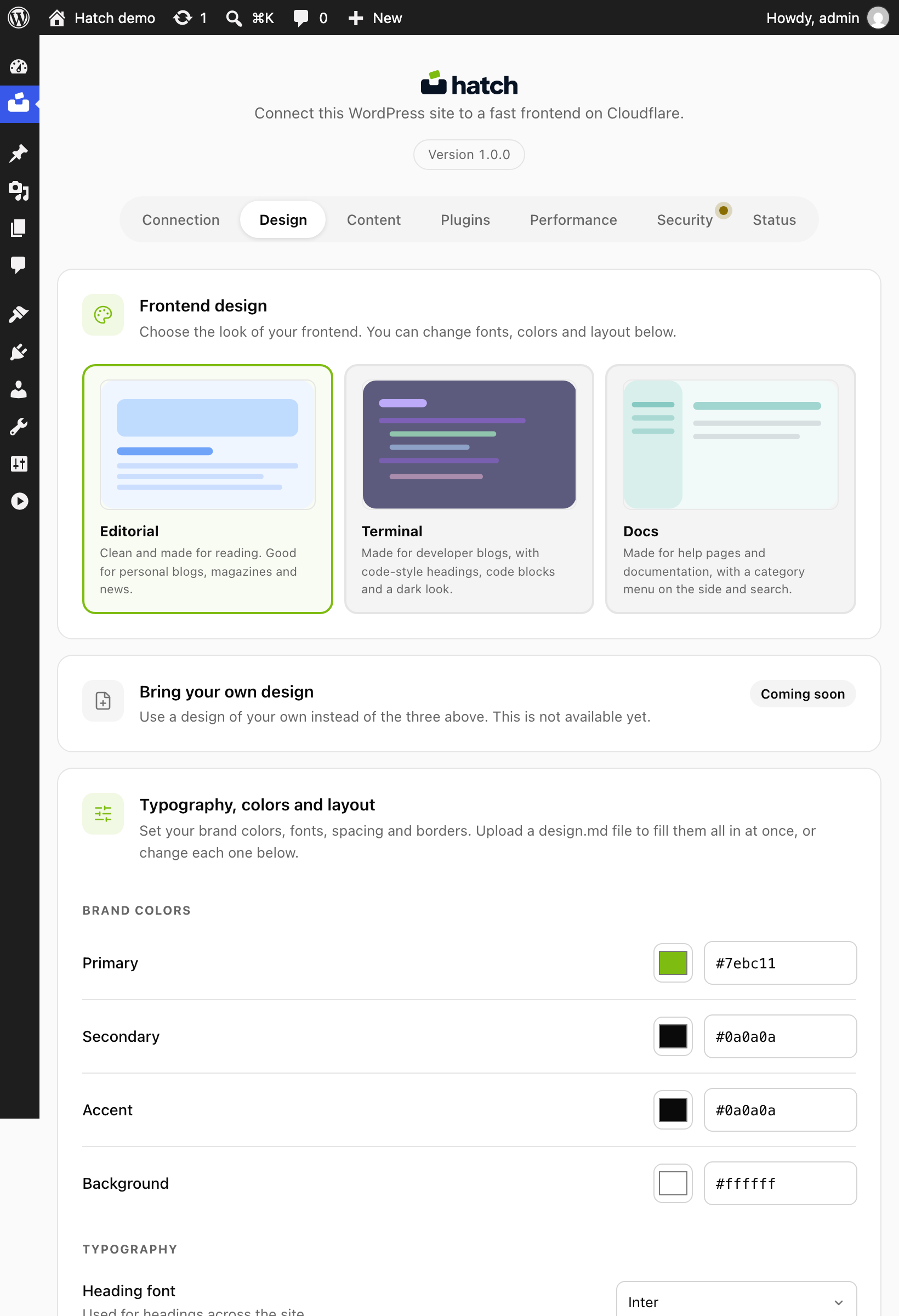
The Design tab chooses a frontend design (Editorial, Terminal or Docs), brand colours, fonts, density, rounding, header and footer behaviour, reading features such as a progress bar and table of contents, share buttons, related posts and image behaviour.
Content and plugin integrations
The Content tab covers comments, accounts, forms and third-party keys. The Plugins tab shows which SEO, forms, WooCommerce and ACF integrations Hatch detected and how it uses them.

Performance
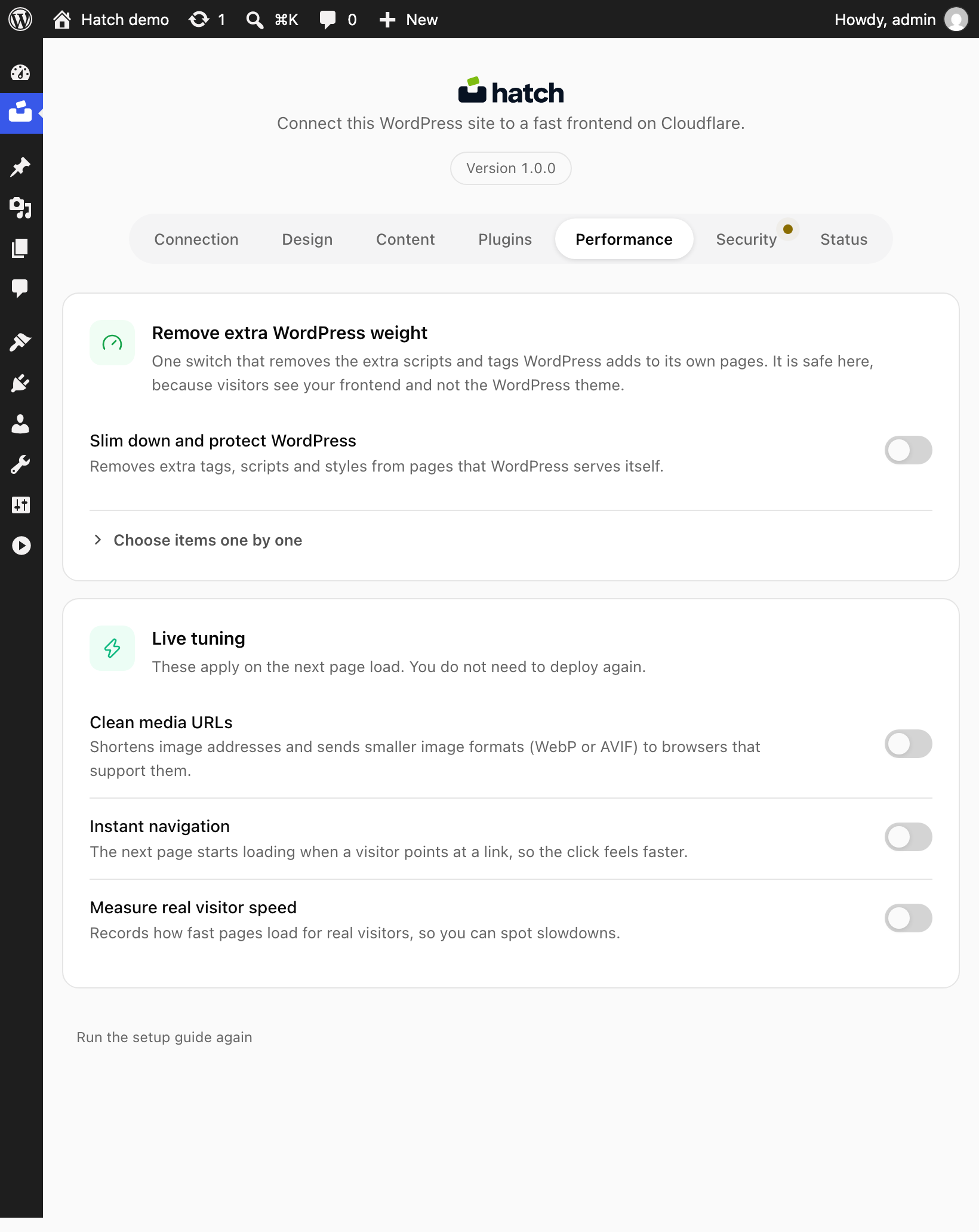
The Performance tab holds options such as prefetching and image handling. The optional “Measure real visitor speed” switch writes page-load timings to your own Worker’s log only.
What to do next
Read Security hardening and the endpoint reference.